Add/Edit Student
Add Students
Login to ScanToSchool.com
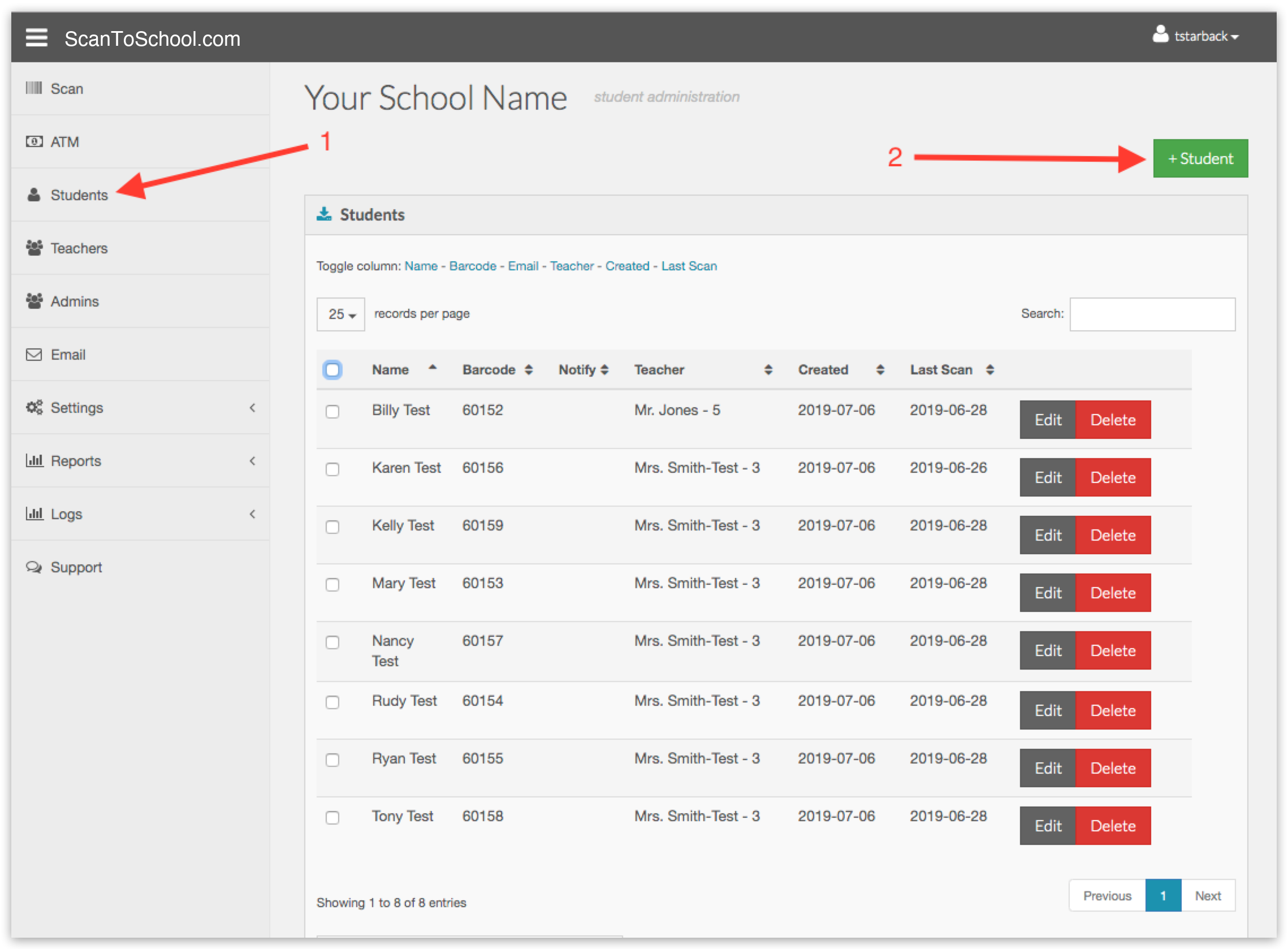
1. Click Students in the side bar menu.
2. Click the green "+ Student" in the upper right.
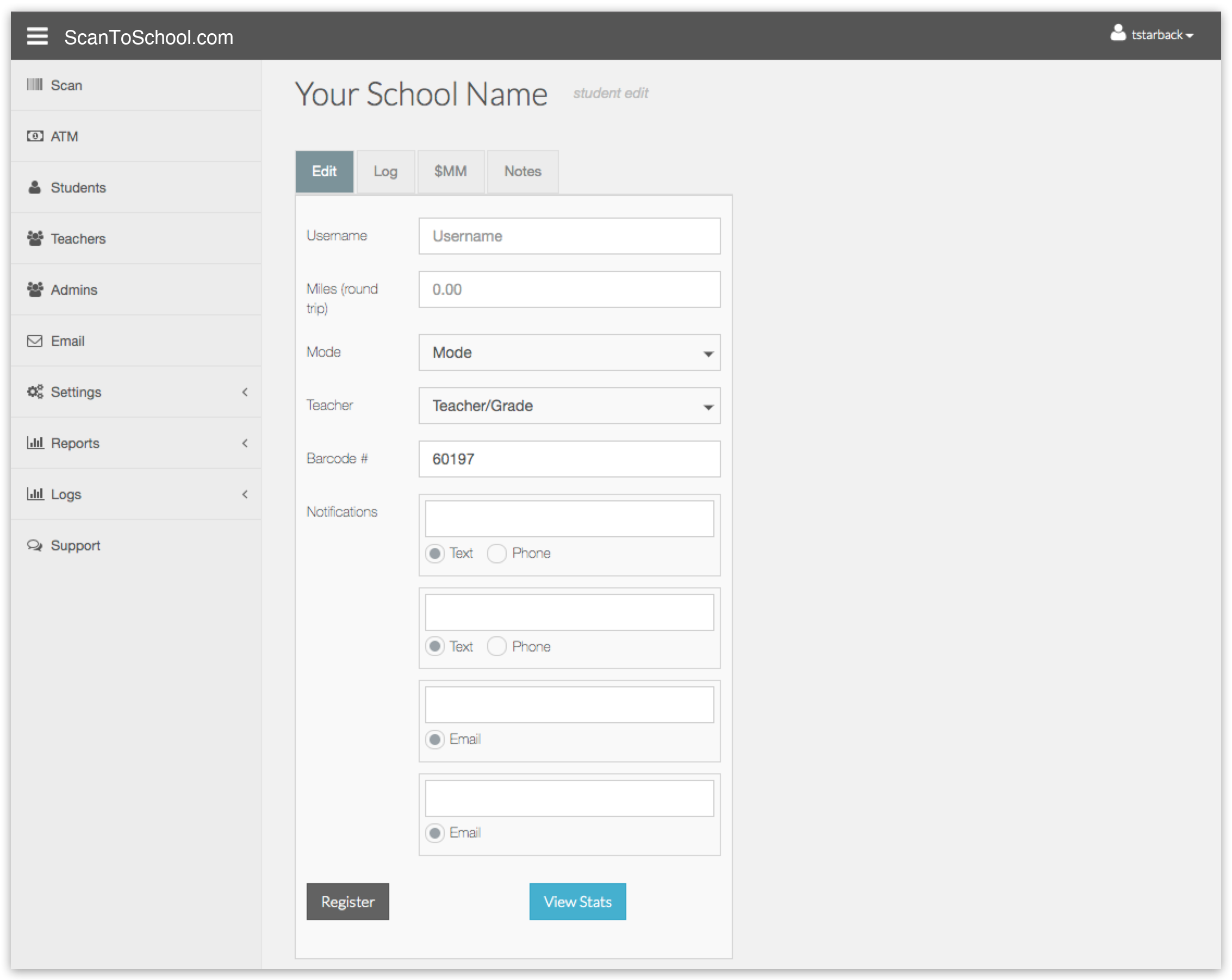
Enter a username, distance, travel mode, teacher, barcode number and any notification options.
Click the "Register" button
Edit Student
Let's search for barcode "60152" and edit that record.
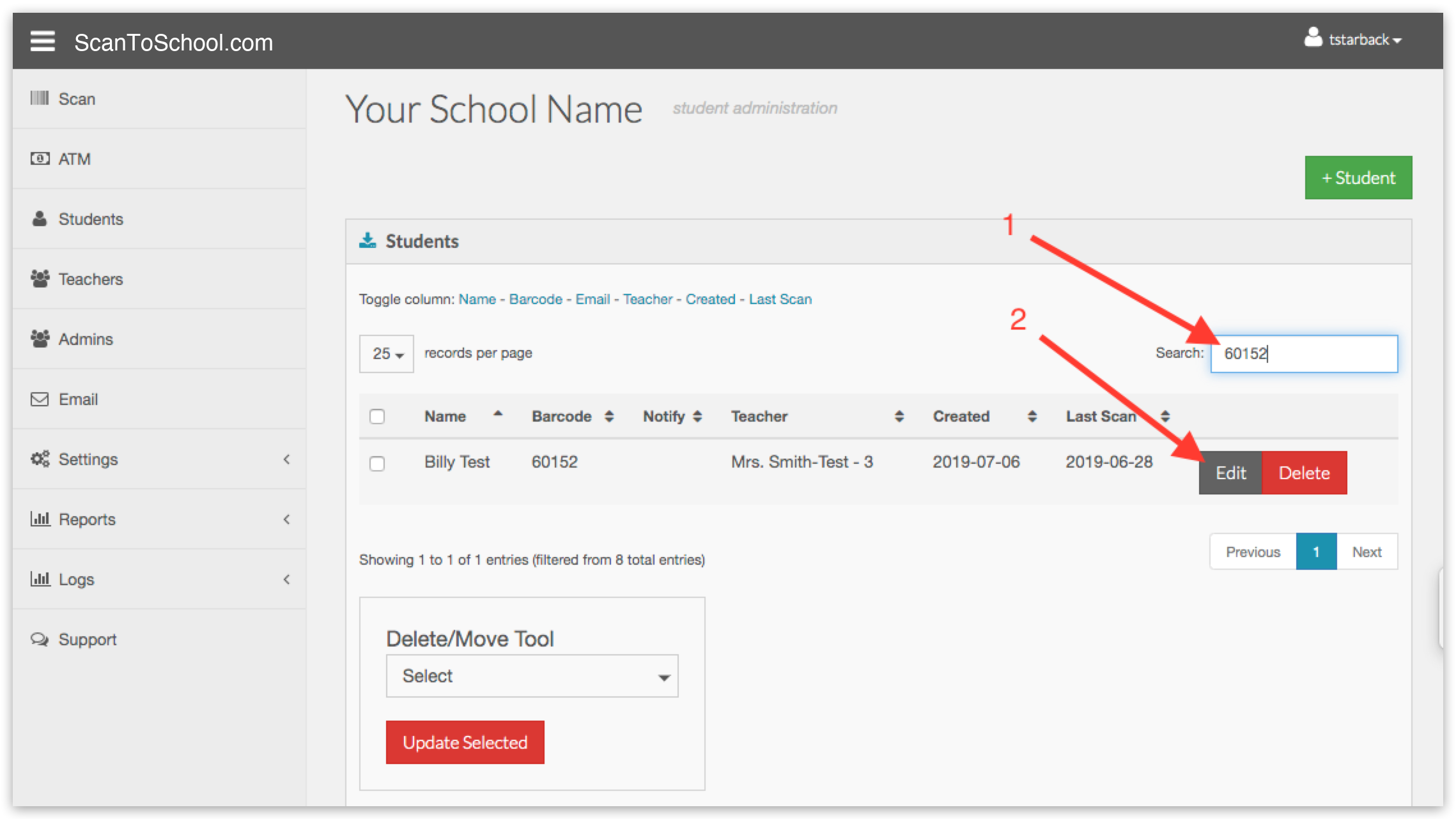
1. Enter "60152" into the search field in the upper right.
2. Click the "Edit" Button.
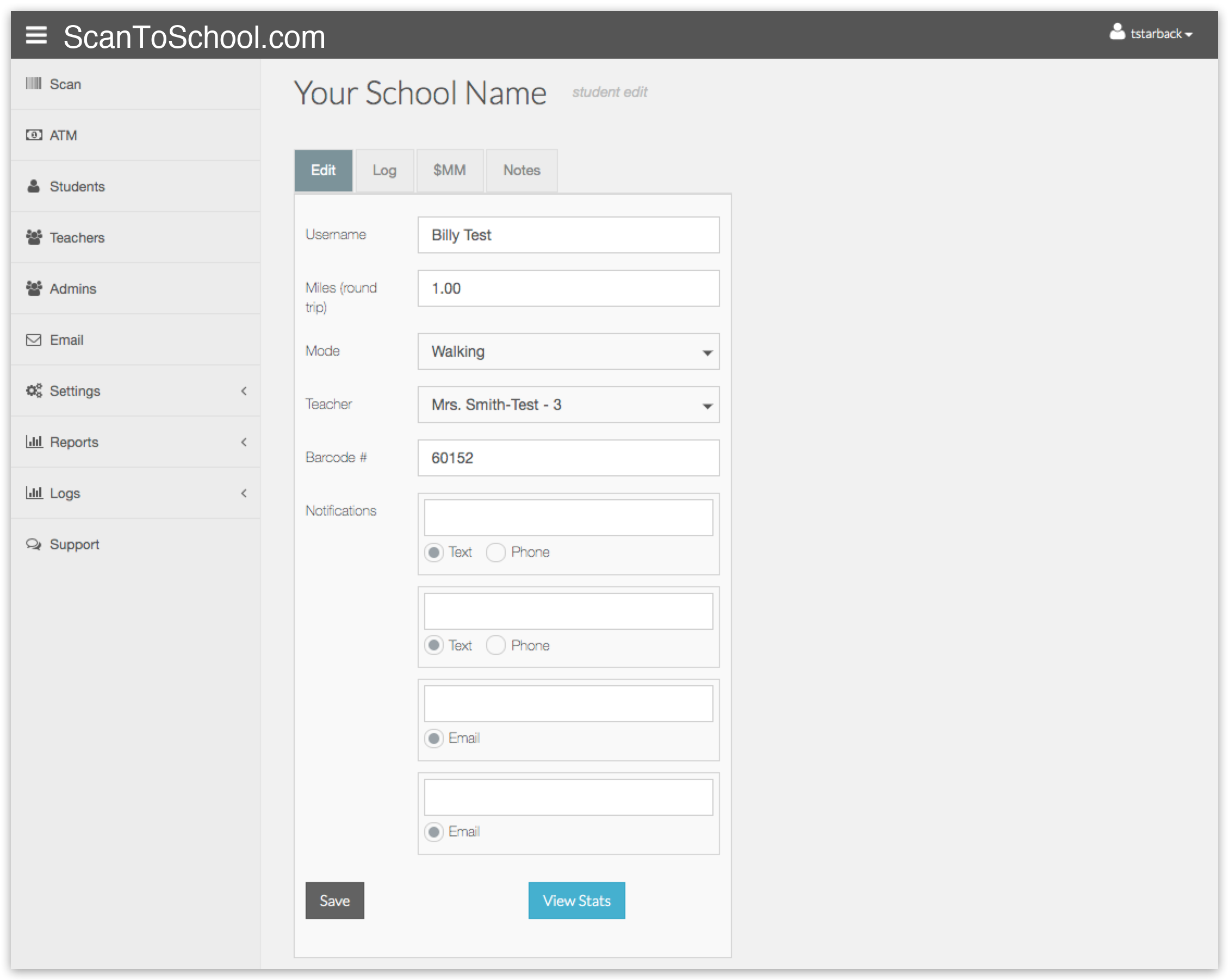
Make any changes, then click the "Save" button.